 United States
Why Does My Vape Say No Atomizer?
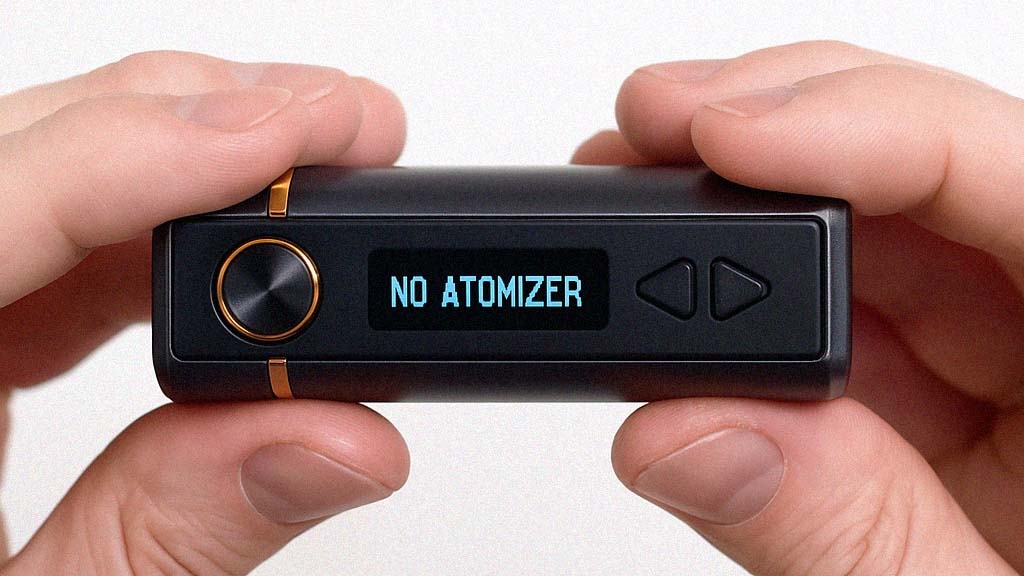
Ever gone to take a puff—only to see “No Atomizer” flashing on your screen? It’s one of the most frustrating errors a vaper can face. One minute your vape is working perfectly, and the next it refuses to fire. Whether you're mid-session or just getting started, this message can completely shut down your vape experience.
But don’t worry—we’ve got you covered. In this guide, you'll learn exactly what the "No Atomizer" error means, how to fix it, and how to avoid it in the future. Whether you're new to vaping or a seasoned pro, this breakdown will help you get back to vaping quickly and confidently.
Pro Tip: Bookmark this guide or share it with a fellow vaper—you never know when this issue might pop up again.
Quick Navigation
- What Is an Atomizer?
- Common Causes for No Atomizer Error
- Troubleshooting Steps
- Advanced Solutions
- Prevention Tips
- Final Thoughts
What Is an Atomizer?
Before we jump into the error itself, it’s important to understand the role of the atomizer in your vaping device. The atomizer is the core component responsible for transforming e-liquid into vapor. It does this by heating the liquid using a coil, which turns it into the inhalable mist you love.
Without a functioning atomizer, your vape cannot produce any vapor, which is why a "No Atomizer" error needs immediate attention. Now that we've covered the basics, let's take a closer look at some possible causes of this issue.
Common Causes for No Atomizer Error
Connection Issues
One of the most common reasons for a "No Atomizer" error is a poor or broken connection between your atomizer and vape device. The metal contacts must align perfectly to transmit power from the battery to the atomizer. Common connection problems include:
-
Dirty Contacts: Residue or dirt on the connectors can disrupt the connection.
-
Loose Contacts: Over time, threads can become loose, preventing a secure fit.
-
Misalignment: The atomizer might not be seated correctly in the device.
Coil Problems
Another frequent culprit behind the error is a problematic coil. Coils are the small, wire-wrapped components that heat up to turn e-liquid into vapor. Issues to watch out for include:
-
Burnt-Out Coils: Burnt or damaged coils are a frequent cause of atomizer errors—learning how to clean vape coils can save your vape session.
-
Improper Installation: If the coil isn’t installed correctly, the device may not detect the atomizer.
Tank Issues
Sometimes, the issue lies within the tank itself. The tank holds your e-liquid and houses the coil, making it an integral part of the overall vaping setup. Tank-related problems might include:
-
Tank Misalignment: If the tank isn’t properly screwed in, the connection can fail.
-
Damaged or Worn-Out Components: Worn-out rubber rings or glass components can affect how the parts fit together.
Troubleshooting Steps
When you encounter a "No Atomizer" error, use this step-by-step guide to diagnose and resolve the problem:
Step 1: Check Connections
Ensure that the connection between the vape device and the atomizer is clean and secure.
-
Turn Off the Device: Always power off your vape for safety.
-
Inspect the Connectors: Look for dirt, dust, or liquid residue on the metal contacts.
-
Clean the Contacts: Gently clean the connectors using a cotton swab and isopropyl alcohol.
-
Reseat the Atomizer: Screw the atomizer back into place, ensuring it’s snug but not overly tight.
Step 2: Replace the Coil
If the connection looks fine but the error persists, it might be time to replace the coil.
-
Disassemble the Tank: Carefully open the tank and remove the old coil.
-
Install a New Coil: Be sure to choose the right vape coil and ohm level for your setup to avoid detection issues. Screw it in tightly but avoid over-tightening.
-
Prime the New Coil: Before reassembling, apply a few drops of e-liquid to the coil to prevent dry hits.
Step 3: Test with Another Tank
Still seeing the error? Try attaching a different tank to your device.
-
If the new tank works, the issue likely lies with your original tank.
-
If the error persists, the problem may be with the vape device itself.
Advanced Solutions
When basic troubleshooting doesn’t solve the issue, here are some additional steps to consider:
Firmware Updates
Modern vape devices often run on firmware that can occasionally need updating.
-
Check the Manual: Refer to your device's manual for guidance on firmware updates.
-
Download Updates: Visit the manufacturer’s website to download the latest version of the firmware.
-
Install the Update: Follow the instructions carefully to avoid any errors during installation.
Professional Repair
If all else fails, consult a professional. A vape shop technician can inspect your device for deeper issues, such as internal wiring problems or hardware failures.
-
When to Seek Help: If your device is unresponsive or the error continues despite your efforts, it’s time to get expert assistance.
Prevention Tips
To avoid encountering the "No Atomizer" error in the future, follow these best practices:
Regular Maintenance
Keeping your vape clean and well-maintained is key to its performance.
-
Clean Contacts Weekly: Weekly cleaning isn’t just for contacts—keeping your vape setup clean improves performance and prevents error messages.
-
Use Compatible Parts: Always use coils and tanks recommended by the manufacturer.
Proper Usage
Using your vape correctly can prevent wear and tear that leads to issues.
-
Avoid Over-Tightening: Screwing parts in too tightly can damage threads and connectors.
-
Store Safely: Keep your vape in a clean, dry place to prevent dust and moisture buildup.
Final Thoughts
A “No Atomizer” error can be annoying, but it’s usually fixable with just a few simple steps. Regular maintenance and correct setup are the best ways to avoid this issue altogether.
Still running into trouble or thinking of upgrading your gear? Don’t hesitate to visit your local vape shop or reach out to the manufacturer for support.
Got tips or questions? Drop a comment below—we love hearing from our readers.
Want more vape fixes and expert guides like this? Subscribe to our newsletter and never miss a beat.